Orders
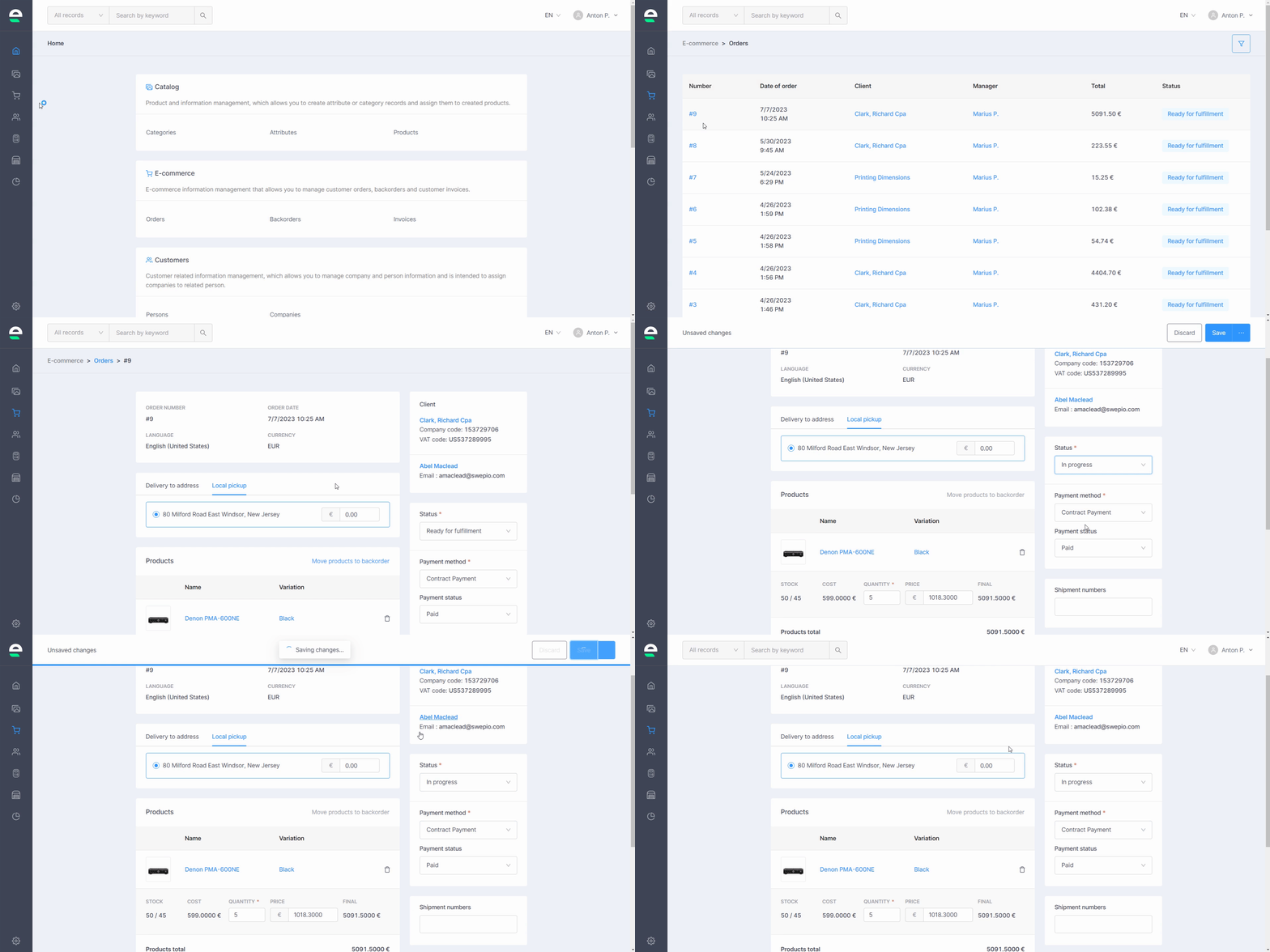
Orders are the most crucial aspect of your online business. As a result, you can manage them thoroughly in Swepio by editing their information, changing their status, entering shipment information, and so on. To make changes to your orders, follow these steps:
- Go to 'E-commerce' and then 'Orders'
- Click on the number of the order you want to edit
- Make any necessary changes
- Click the 'Save' button

If the balance of goods is insufficient, you can move the order to backorders by clicking the Move products to backorder button.
This block contains information in the same logic as when placing an order in the web shop, which can be changed. The user can change delivery methods and their prices. After saving the information, the total price of the order will be recalculated accordingly
Order status and payment status
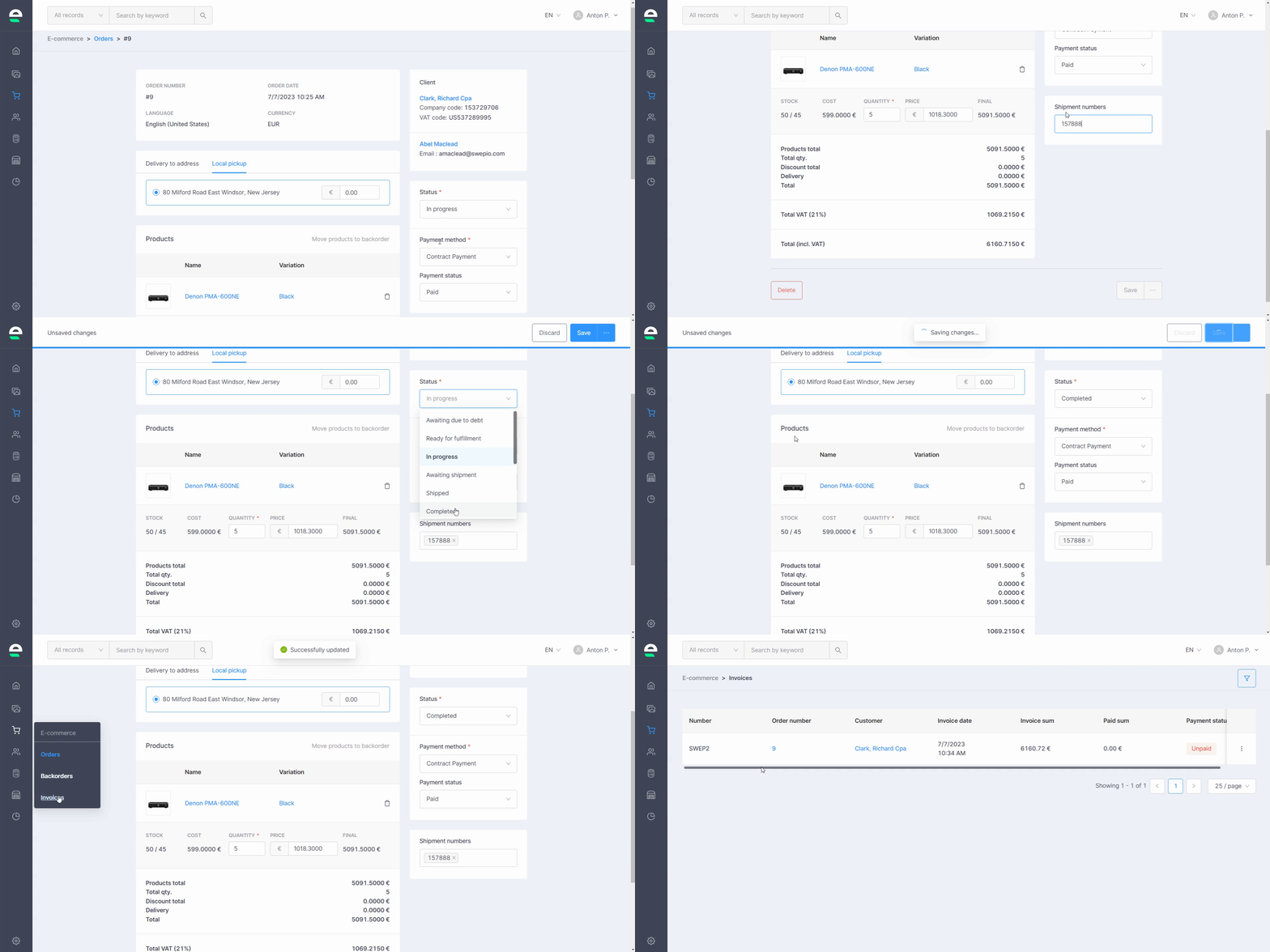
- Awaiting due to debt and Ready for fullfilment are automatically assigned when an order is created. Ready for fulfillment is assigned when the customer is not in debt. Awaiting due to debt is assigned when the customer is in debt.
The following statuses are also related to outbound:- If awaiting due to debt, then outbound will be reserved
- If ready for fulfillment, then outbound ready for pickup
- In progress status is intended to mark orders whose picking has started. It can be noted that if the outbound module is used, then this status changes automatically when the outbound document becomes in progress
- Awaiting shipment status is intended to indicate orders that are ready for shipment and are waiting for the arrival of the courier
- The Shipped status is intended to mark orders that have been shipped
- Completed - when the order is fulfilled
Correct status marking is very important for debts
The invoice is generated when the status is changed to completed. Click HERE for more info.
Payment method
Paid and waiting for payment are marked depending on the selected payment method. If at the time of the order a payment was selected that has the contract payment feature, then the order will always be marked as paid, since the payment will be made according to the contract. If the attribute is not marked, then it means that the user will pay for the goods before delivery and then the whole debt logic will no longer apply to him.
Delivery block provides information with the same logic as when placing an order in the web shop, which can be changed. The user can change delivery methods and their prices. After saving the information, the total price of the order will be recalculated accordingly.
Tracking information is stored with the order. If the assigned delivery address is changed after the order has been created, it will not change with the order. In order to update the delivery address that has been adjusted to the company for an already created order, it needs to be re-selected in the delivery drawer.
Next step: Backorders