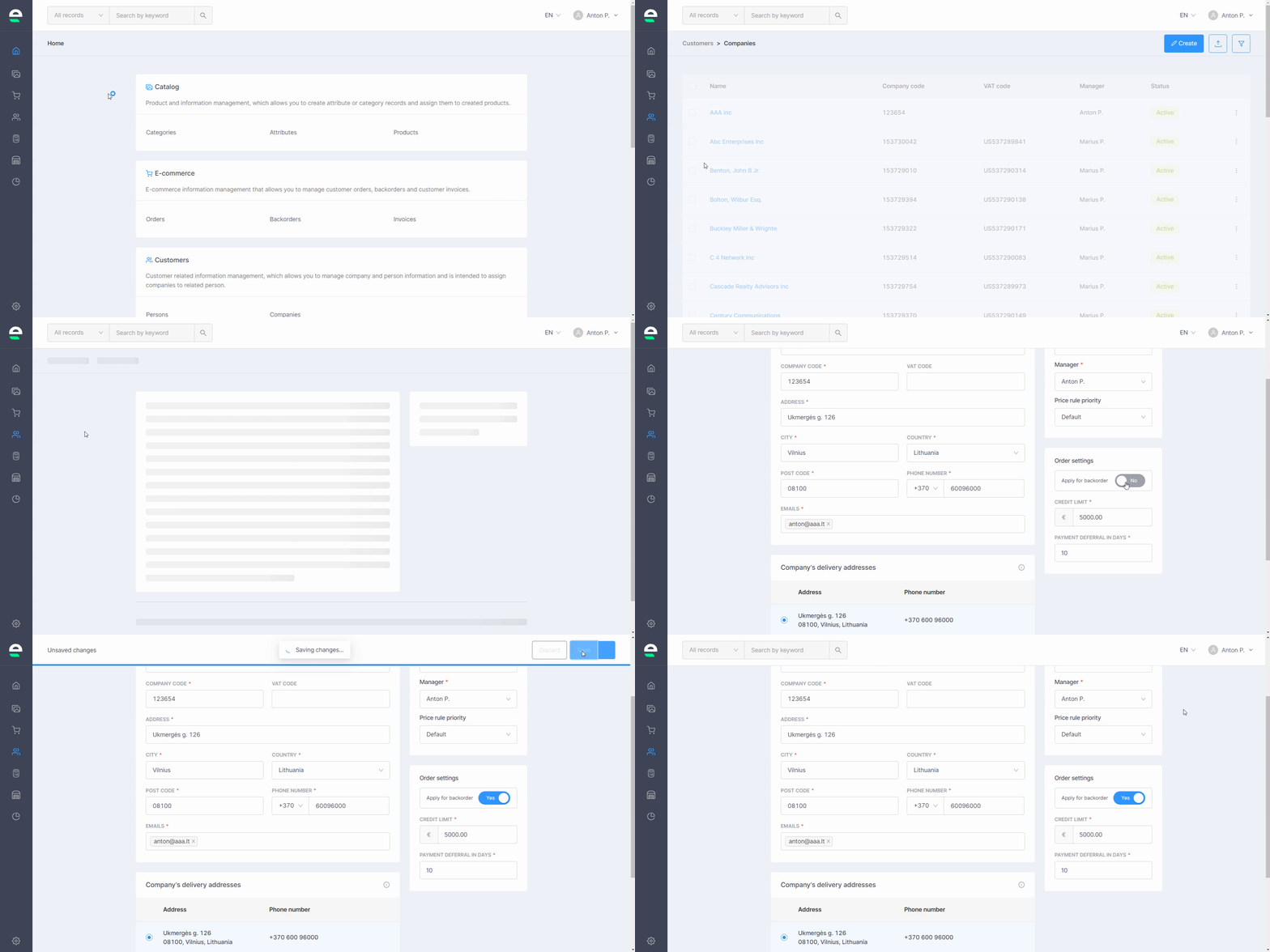
A backorder is a purchase order that cannot be filled at the moment due to a lack of available supply. If you know that products are on their way to your warehouse, you can use the backorders functionality to allow your customers to place orders. You can manage both customers who can make use of backorders and products that can be backordered. To allow your customers to use backorders, follow the steps below:
- Navigate to 'Customers' and click 'Companies'
- To open the account of the company you want to allow to use backorders, click on its name
- In the 'Order settings' section on the right, enable the 'Apply for backorder' function
- Click the 'Save' button
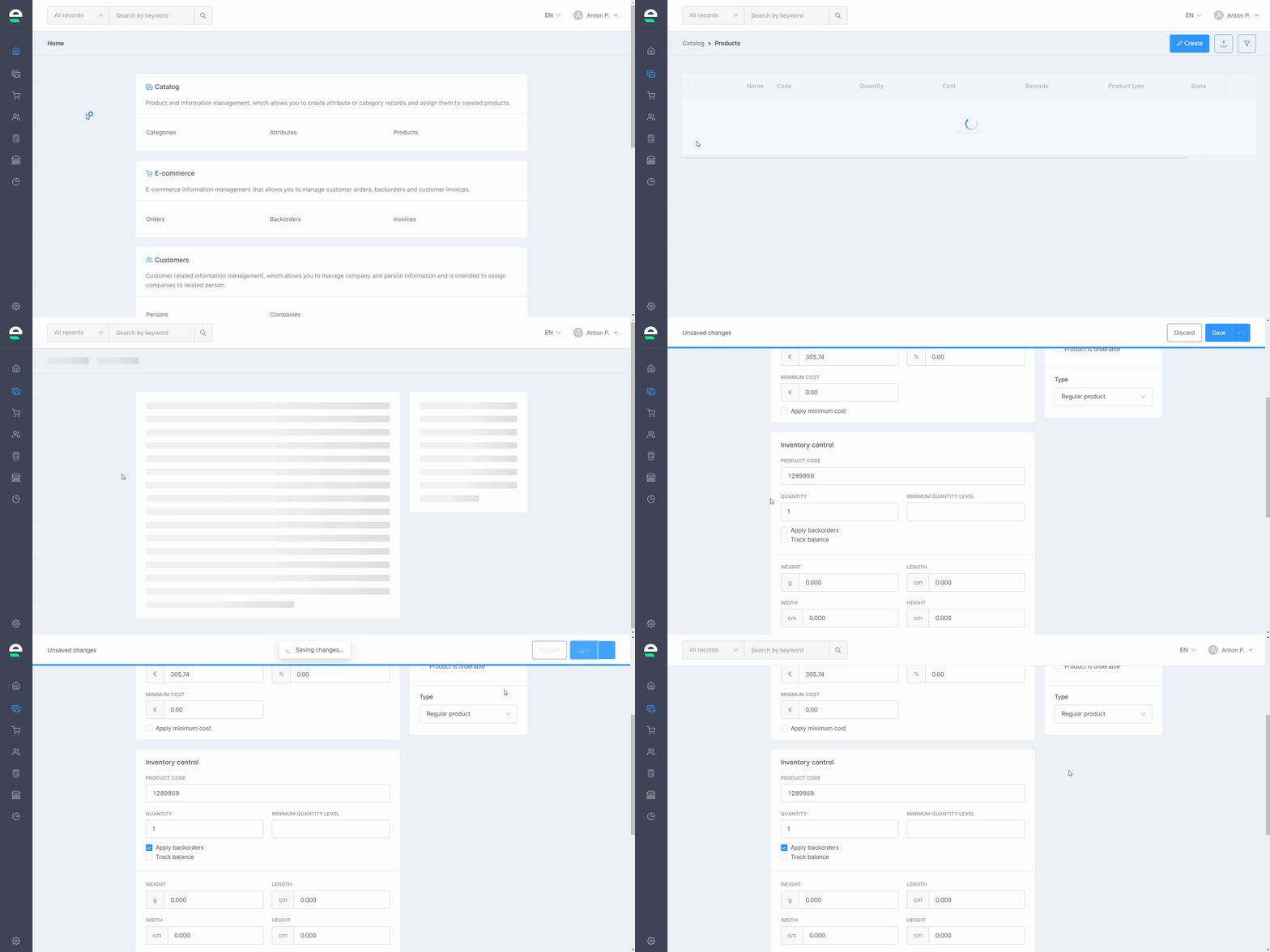
Set the following parameters in your products that can be backordered:
- Navigate to 'Catalog' and then 'Products'
- Click on the name of the product for which you want to change the backordering settings
- In the 'Order settings' section on the right, enable the 'Apply for backorder' function
- If the product has variations, select Apply backorders in all variations
- Click the 'Save' button
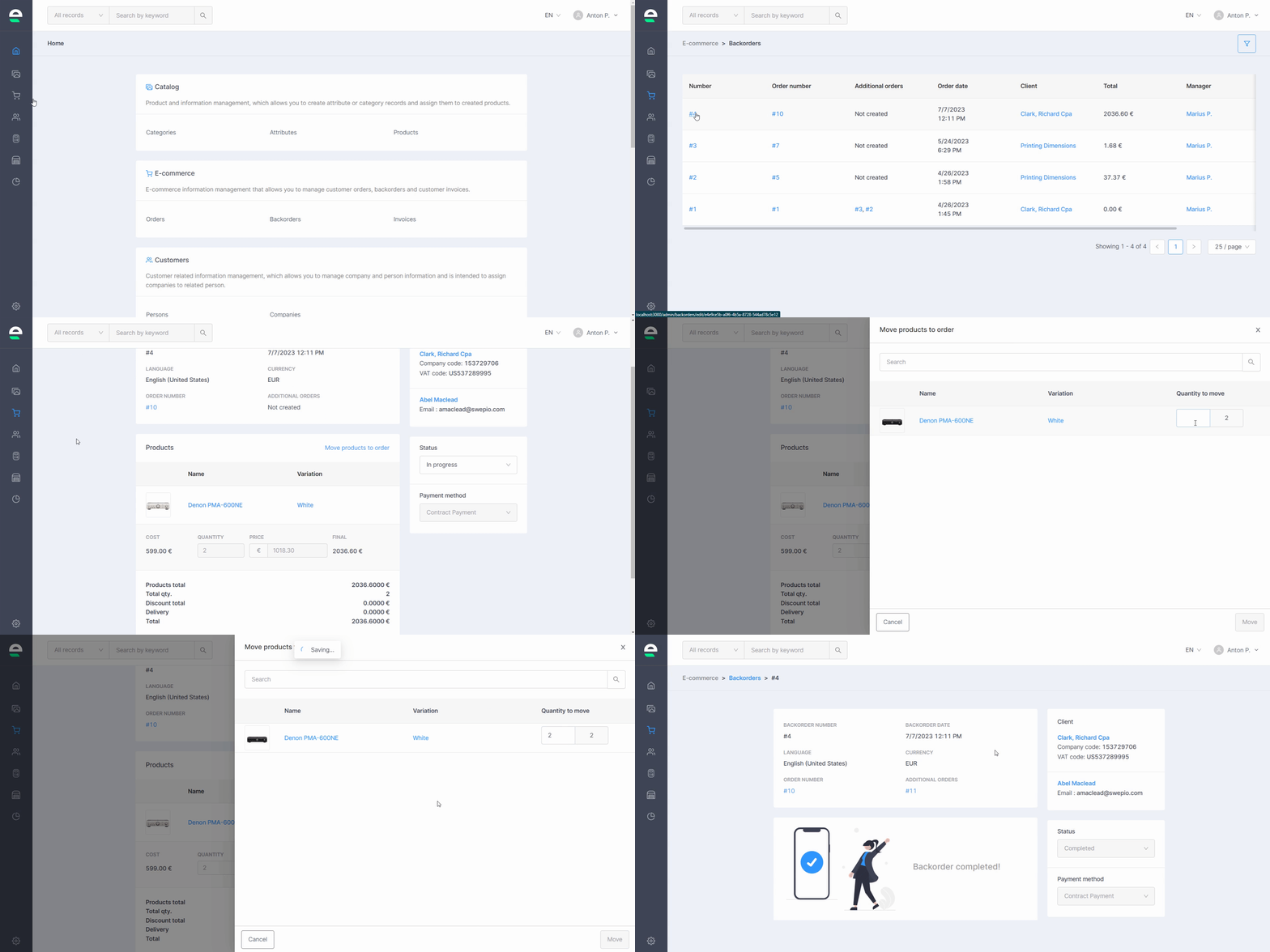
When the goods from your backorder arrive at your warehouse, you can move them from the backorders section to the standard orders section or vice versa. To do so, follow these steps:
- Navigate to 'E-commerce' and then to 'Backorders'
- Click on the backorder number you want to move to the orders section (or order number, that you want to move to backorder section)
- Select the 'Move products to order' option
- Enter the number of products you want to move
- Select the 'Move' option
Next step: Invoices