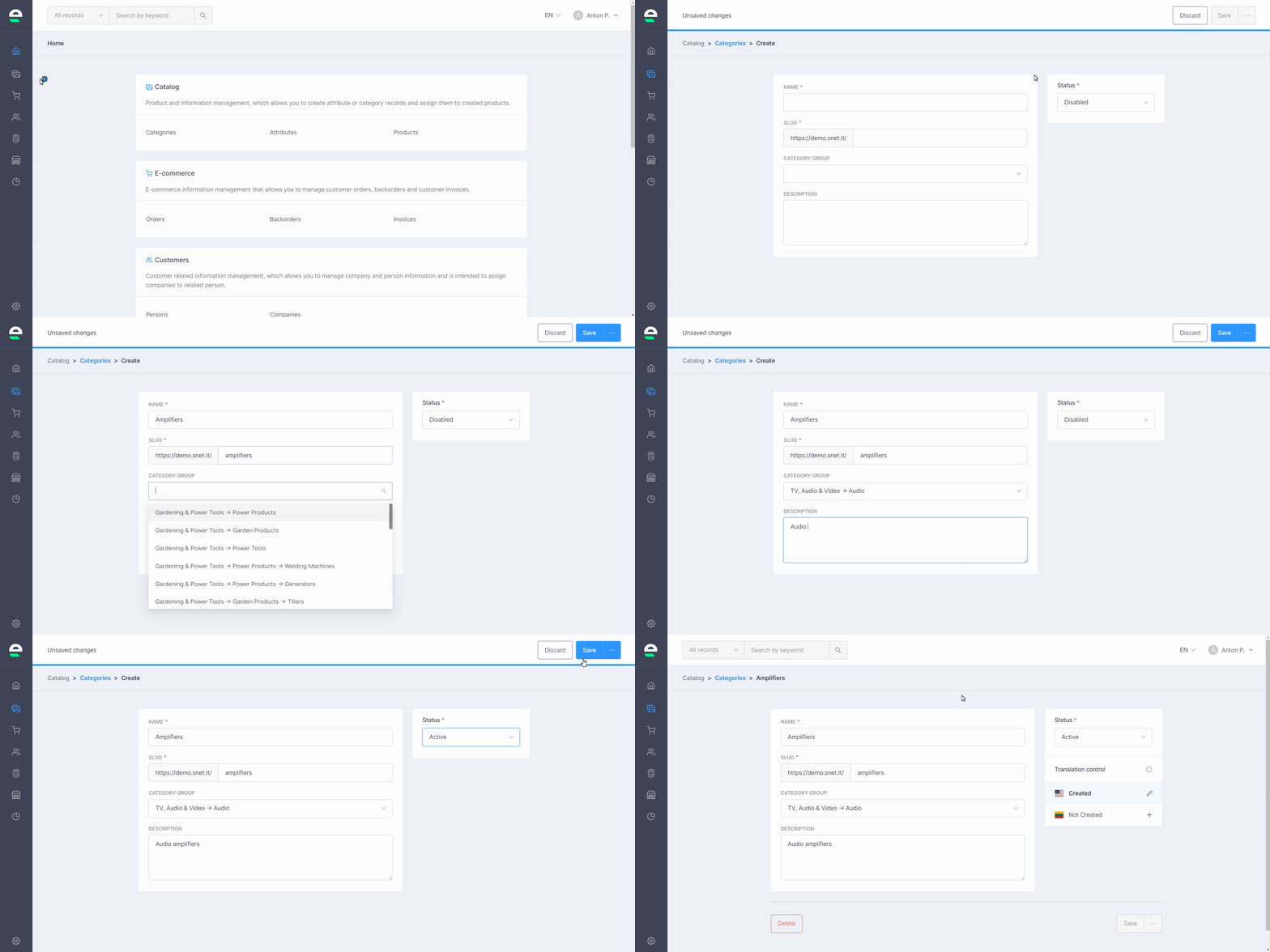
Begin building your catalogue by first creating categories and subcategories in the Categories tool:
Navigate to 'Catalog' in your Swepio admin
Select 'Categories'
Click 'Create'
Give your category/ subcategory a name, a slug, and a description
Choose the main category from the drop-down list if you're creating a subcategory
Choose the status of category/ subcategory
Click the 'Save' button
Subcategory can be created while chosen “add category” from the list and then the user will be redirected to the the main window where the main category will be chosen automatically.
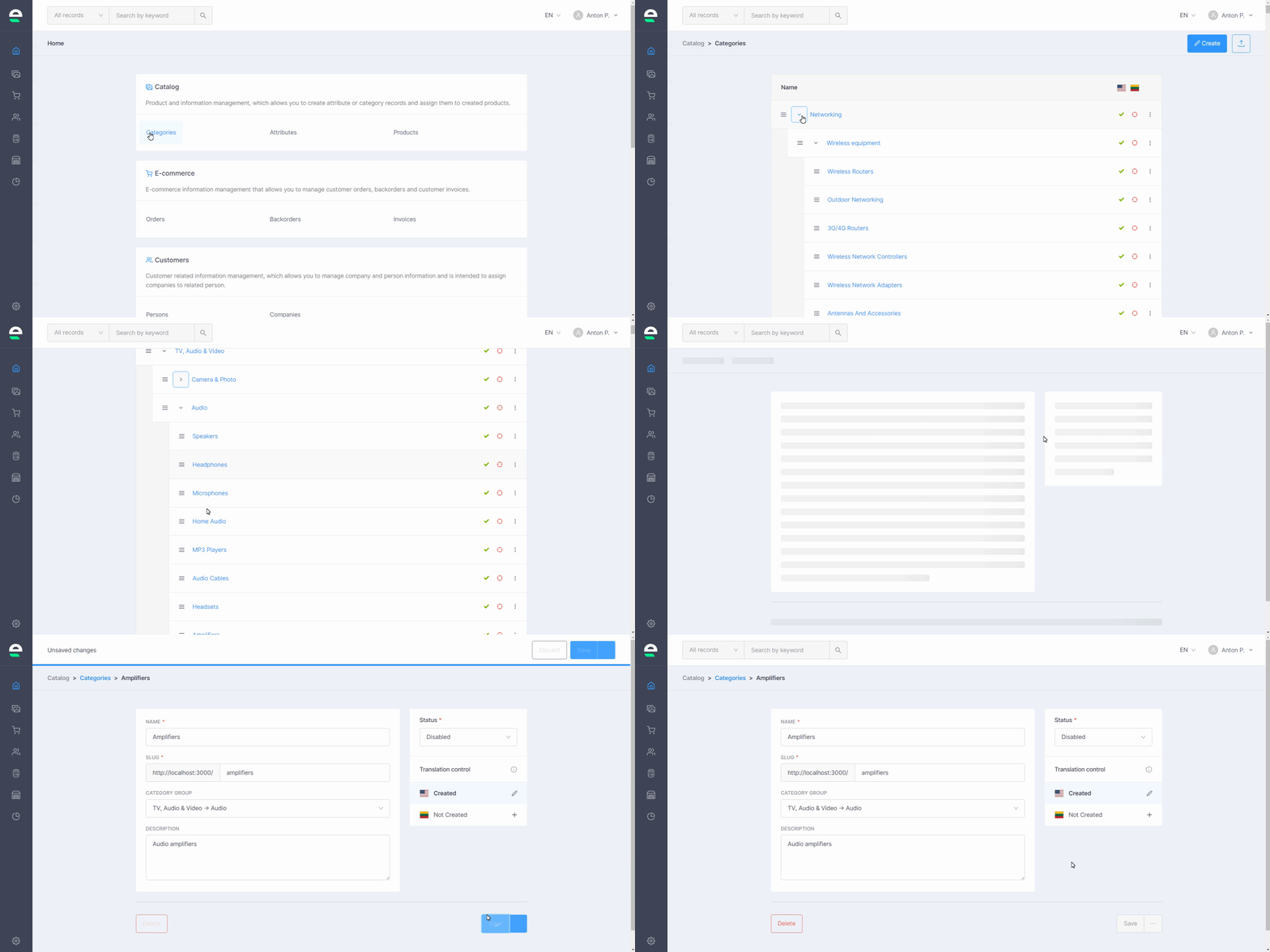
After you've created your product categories/subcategories, you can always edit, change their status, or delete them:
Go to 'Categories'
Click on the category/ subcategory you want to edit
Edit the information, change the status of the category/subcategory, and then click the 'Save' or 'Delete' button if you want to completely delete it
When the main parent category is deleted, all the subcategories above will also be deleted.
When main category is not active, the subcategories are also not active.
Category tree can also be made from maximum of 4 subcategories. If there are more - it won’t be allowed.