Attributes
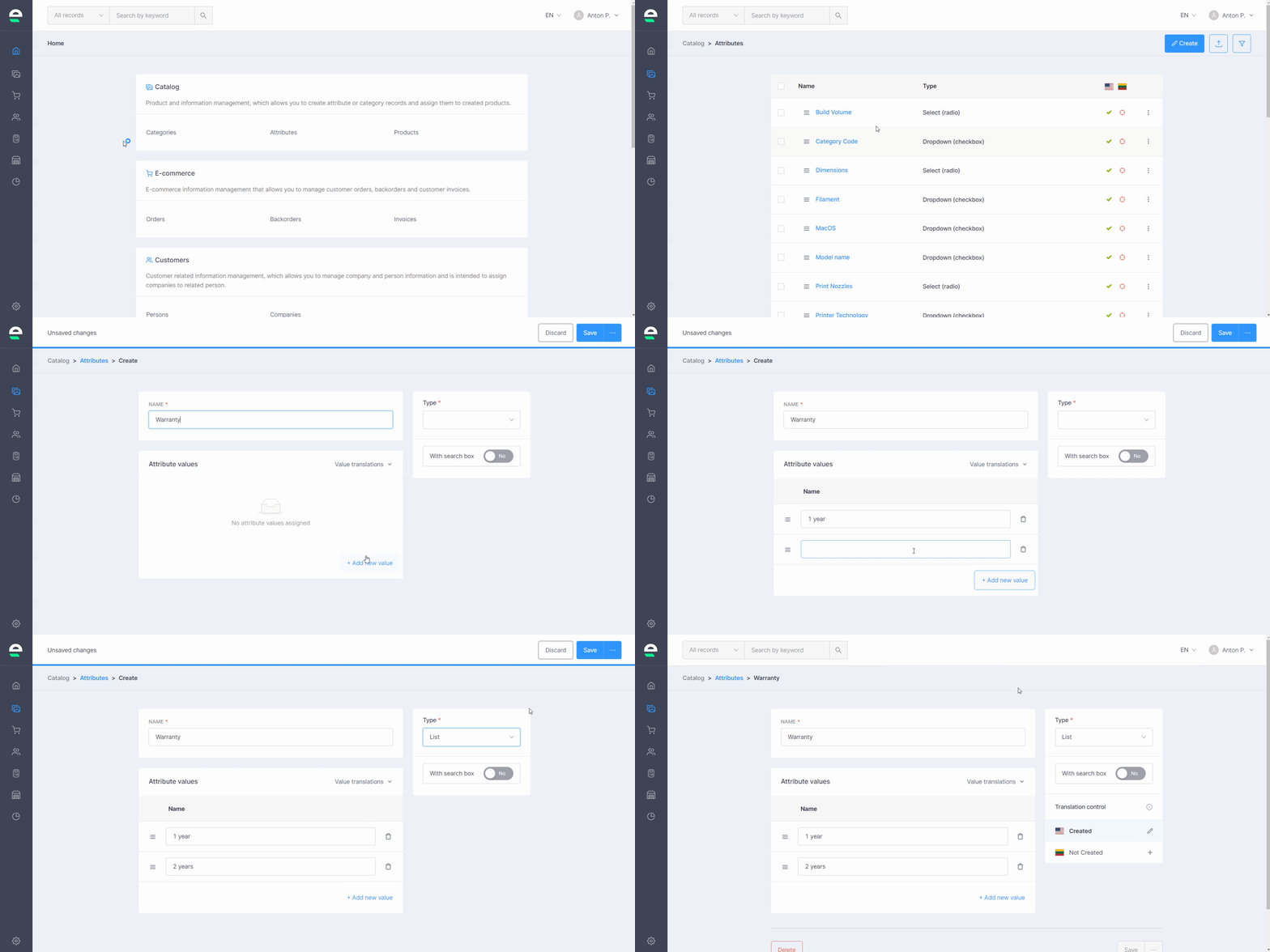
Use the Attributes tool to create filters for your products and products with variations:
- Navigate to 'Catalog' in your Swepio admin
- Select 'Attributes'
- Click 'Create'
- Give your attribute a name
- Select the attribute type (List, Radio, Color or Texture)*
- Click 'Add new value' to add all attribute values (you can change their sorting by dragging and dropping them up and down)
- Click the 'Save' button
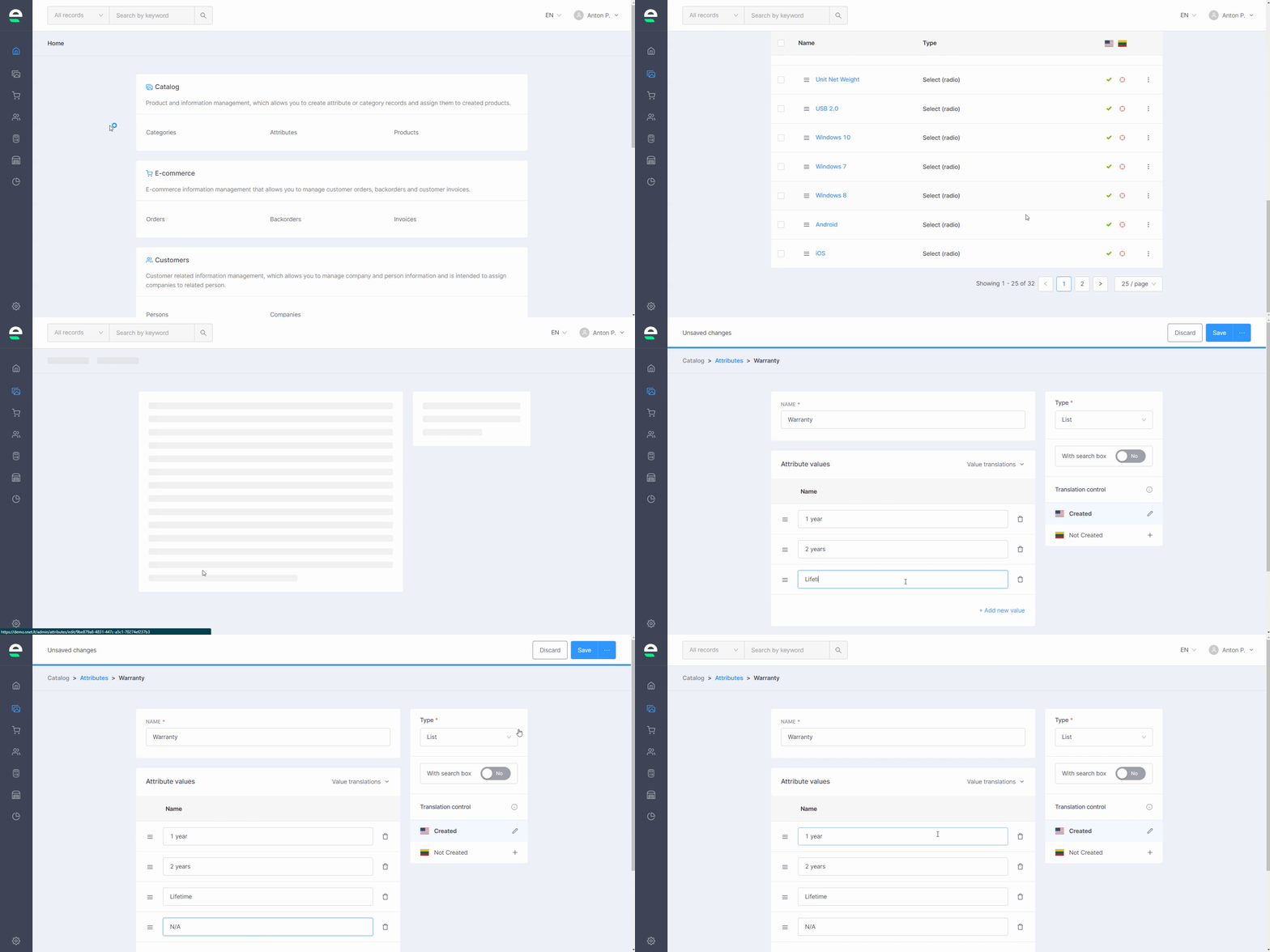
After you've created your product attributes, you can always edit, add more information or delete them:
- Go to 'Attributes'
- Click on the attribute you want to edit
- Edit the information, add or remove attribute values, and then click the 'Save' or 'Delete' button to completely remove the attribute

Deletion is also possible in the list next to a specific product and also in the inner bottom, when the product is opened
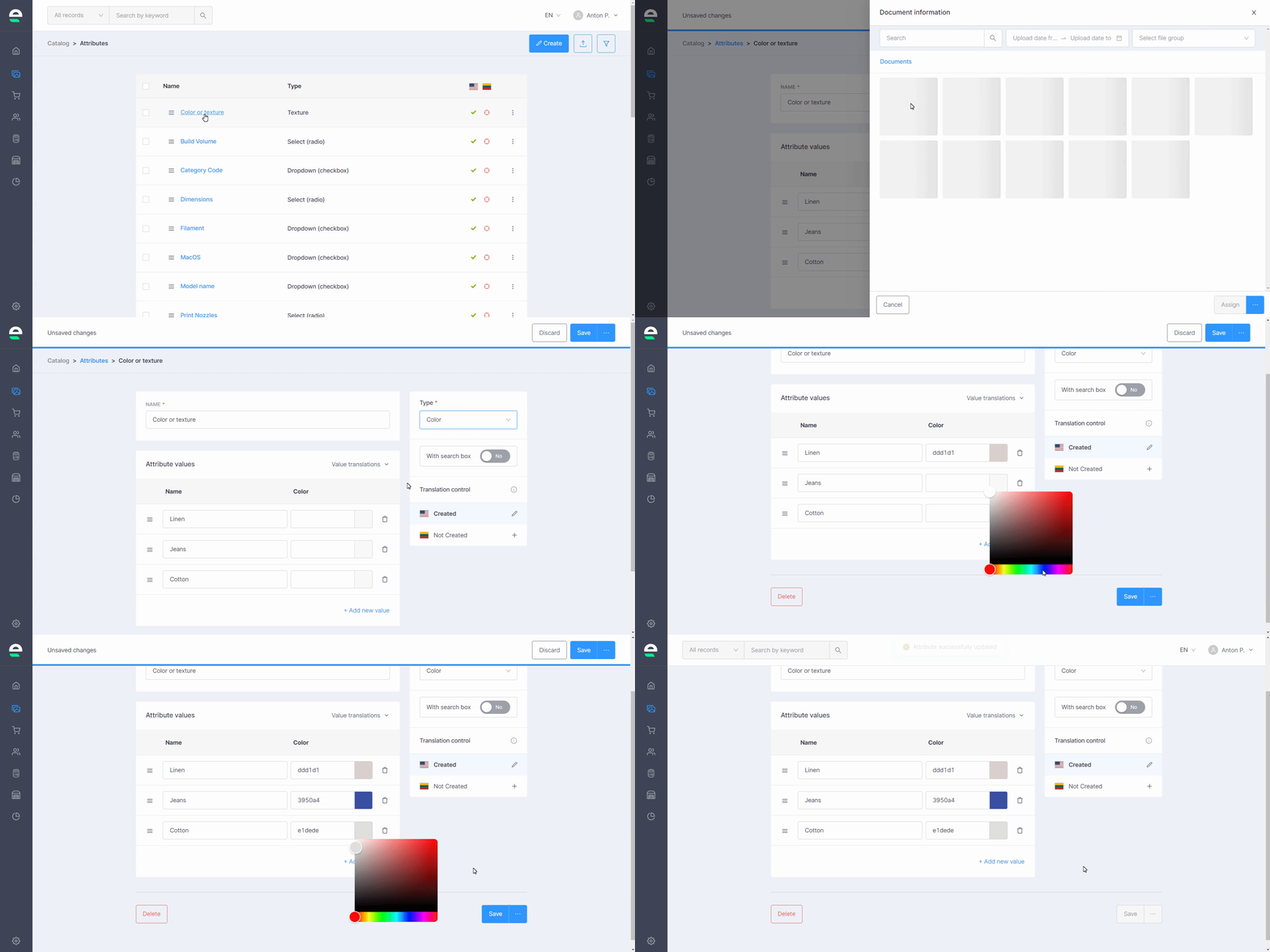
*Types of attributes:
Swepio supports four types of attributes: List, Radio, Colour, and Texture, which are used in products that have variations. The List type allows your customer to select one of the product variations from a drop-down list. Radio type allows your customers to see all possible variations in a single stroke. This type is better for products with few variations. Customers can choose the colour of their products using the third type of attribute. In the value box, enter a colour code or select a colour from the colour palette. Texture type allows you to add a photo of the product's texture next to the variation selection.
Bulk actions
Swepio allows you to edit multiple records at once. Follow the steps:
- Go to 'Attributes'
- Tick the checkboxes next to the records you want to manage in the list
- Select the appropriate action button:
- Duplicate
- Delete
- Confirm your action
Next step: Create products